

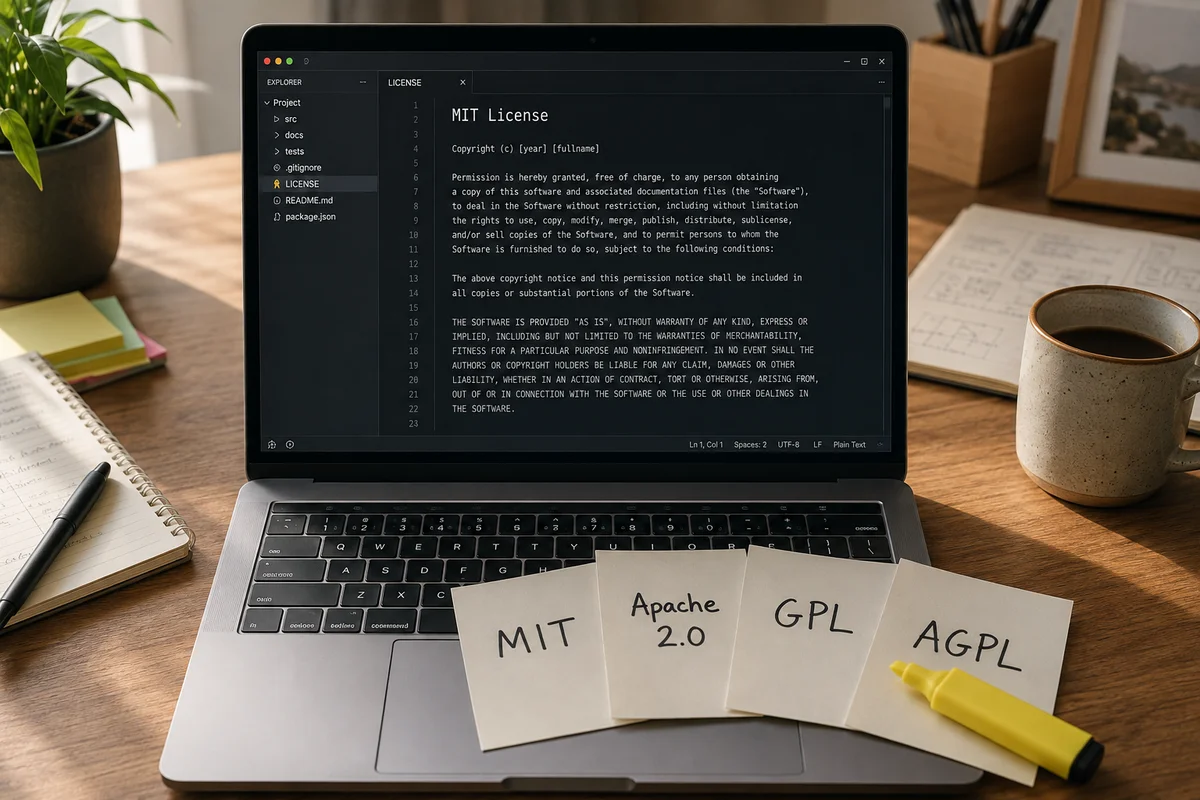
Every open-source license answers three questions. Can you sell what you built with it. Do you have to publish your own code. Who do you have to credit.
MIT answers yes, no, and the original author. GPL answers yes, yes, and the original author. AGPL answers the same as GPL, except that running it on a web server counts as publishing. That is the whole subject in four sentences. Everything below is the detail.
This is not legal advice. It is the version you need before paying a lawyer is worth it.
The short version
| License | Sell your product? | Publish your changes? | Credit required? | Patent grant? |
|---|---|---|---|---|
| MIT | Yes | No | Yes | No |
| BSD (2 and 3 clause) | Yes | No | Yes | No |
| ISC | Yes | No | Yes | No |
| Apache 2.0 | Yes | No, but mark what you changed | Yes | Yes |
| MPL 2.0 | Yes | Only the MPL files you changed | Yes | Yes |
| LGPL | Yes | Only the library, not your app | Yes | Yes |
| GPL | Yes | Yes, if you distribute it | Yes | Yes |
| AGPL | Yes | Yes, including over a network | Yes | Yes |
Two things in that table surprise people. Every license in it lets you sell your product, the GPL included. And "publish your changes" is the column that decides everything, because it is the one that can force your commercial product open.
MIT: the default, and usually fine
MIT is the license behind most of what your developers install. The whole thing is about 170 words.
- Commercial use: yes, no conditions, no fee.
- Publish your changes: no. Everything you build on top can stay private.
- Credit: keep the copyright line and the license text somewhere in the product. A third-party notices page or a file in the app bundle is enough.
- In your product: nothing to worry about. Add the attribution and move on.
The one gap worth knowing is patents. MIT grants copyright permission and says nothing about patents, so a contributor holding a patent over their own code has not explicitly given you the right to use it. In practice this almost never bites a small business. In hardware, medical devices or anything patent-heavy, it is a real reason to prefer Apache 2.0.
Apache 2.0: MIT with a patent clause
Apache 2.0 does everything MIT does and adds two clauses that matter commercially.
- Commercial use: yes, no fee.
- Publish your changes: no, but you must mark the files you modified as changed.
- Credit: keep the license and copyright notices, and if the project ships a NOTICE file, pass its attribution text on to your users.
- In your product: safe, with a small paperwork obligation.
The patent clause is the reason it exists. Section 3 grants you a "perpetual, worldwide, non-exclusive, no-charge, royalty-free, irrevocable" patent license from every contributor. The same section takes it away: if you start patent litigation claiming the software infringes your patents, your patent license terminates. It is a mutual truce, and it is why large companies standardised on this one.
GPL: you can sell it, but the source goes with it
The GPL is the license people are most wrong about. Two corrections.
You can charge money for GPL software. Nothing in it says otherwise. Red Hat built a multi-billion dollar business selling it.
And the source obligation is not triggered by using the software. It is triggered by distributing it.
- Commercial use: yes, you can sell it.
- Publish your changes: yes, but only when you convey the software to someone else. An internal tool your own staff use in the office never triggers it.
- Credit: yes, plus the full license text and the source.
- In your product: if you ship it to customers and it contains GPL code, the whole combined work has to be offered under the GPL. That includes the code you wrote.
That last line is the one that ends product launches. If a GPL library is compiled into the desktop app you sell, your app is a derivative work, and your customers are entitled to its source under the same license. There is no version of this where you ship the binary and keep the source. Either you replace the library or you go open source.
For a web application this used to be a loophole. Running software on your own server is not distribution, so a SaaS company could build on GPL code, ship nothing, and owe nothing. The AGPL exists to close that.
AGPL: the one that catches SaaS businesses
The AGPL is the GPL plus one paragraph. Section 13, Remote Network Interaction, says that if you modify the program, your modified version "must prominently offer all users interacting with it remotely through a computer network" the chance to receive the source of your version, free, from a network server.
- Commercial use: yes.
- Publish your changes: yes, and putting it behind a login on your own server does not avoid it.
- Credit: yes, plus the source of your modified version.
- In your product: check this one before you build. If your product is a website or an app backed by modified AGPL code, your users can ask for your source.
Two things soften it in practice. The obligation attaches to the AGPL program you modified, not to everything else running in your infrastructure, so calling an unmodified AGPL database from your own separate application is a different situation from forking that database and building your product inside it. And the wording says "if you modify the Program", so running a stock copy is not the same as running a fork.
That distinction is genuinely hard, it depends on how the pieces are joined, and it is the one place in this article where an hour with a lawyer is cheaper than a guess.
LGPL and MPL: the middle ground
Both of these exist so copyleft code can sit inside a commercial product without swallowing it.
LGPL is the GPL applied to a library only. You can link a proprietary application to an LGPL library and keep your application closed. What you owe is the library: if you modified it, those changes go back under the LGPL, and your users have to be able to swap in their own version of it.
MPL 2.0 draws the line at the file. Mozilla's own FAQ puts it plainly: "The copyleft applies to any files containing MPLed code", and "new files containing no MPL-licensed code are not Modifications". So you can statically link MPL code into a proprietary product, and all you publish are the MPL files you actually changed, plus a pointer telling recipients where to get that source.
- Commercial use: yes, both.
- Publish your changes: only the library (LGPL) or only the touched files (MPL).
- Credit: yes, and for MPL, tell people where the source lives.
- In your product: workable. This is the compromise most commercial products can live with.
BSD, ISC and the rest, briefly
BSD 2-clause and 3-clause are MIT with different wording. Both let you do anything as long as you keep the copyright notice. The third clause in BSD 3-clause adds one restriction: you cannot use the project's name or its contributors' names to endorse your product without permission. ISC is a shorter rewrite of the same idea and is the default across a lot of the Node ecosystem.
The Unlicense goes the other way and dedicates the code to the public domain. No conditions, no attribution, nothing. Some corporate legal teams dislike it, because public domain dedication is not clean in every jurisdiction, which is why the more careful alternative is CC0 or plain MIT.
Then there is no license at all. GitHub states the consequence directly: "without a license, the default copyright laws apply, meaning that you retain all rights to your source code and no one may reproduce, distribute, or create derivative works from your work." A public repo with no LICENSE file is not free to use. It is only visible.
Proprietary licenses: what you are buying, not what you are giving
The other half of "software license" has nothing to do with open source. It is the paperwork attached to software you pay for.
A EULA is the agreement between the vendor and the person using the software, and it is where the real limits live: how many machines, whether you can resell it, whether you can take it apart.
A perpetual license is a one-off payment for the right to use one version forever. Support and upgrades are usually a separate annual fee, and when that lapses you keep the software and stop getting patches.
A subscription license rents the right to use it. Stop paying and access ends. This is the default now for almost everything sold to businesses.
A floating or concurrent license is bought per simultaneous user rather than per person. Ten floating seats let a hundred staff use the software as long as no more than ten have it open at once. Common in engineering and design tools, and far cheaper than per-person seats when most of your staff only open it occasionally.
The question to ask a vendor before signing is not the price. It is what happens to your data and your access on the day you stop paying.
Can you use open-source code in a commercial product?
Yes, in every case in this article. The real question is what you owe in return. Here is the straight answer per license, assuming you are shipping a product to customers or running it as a service.
- MIT, BSD, ISC: yes, keep the notices, publish nothing.
- Apache 2.0: yes, keep the notices, mark modified files, pass on the NOTICE file.
- MPL 2.0: yes, publish the MPL files you changed.
- LGPL: yes, keep your app closed, publish changes to the library, let users swap it.
- GPL: yes, but if you distribute the product, the product's source goes with it.
- AGPL: yes, but if users reach your modified version over a network, they can ask for its source.
The pattern is simple once you see it. The more a license lets you take, the less it asks for back.
The license can change under you
This is the part most guides leave out, and it has cost real companies real money in the last three years.
HashiCorp moved Terraform and its other products from MPL 2.0 to the Business Source License on 10 August 2023, blocking anyone offering a competing commercial service from using future releases. The community forked the last MPL-licensed commit into OpenTofu, announced on 5 September 2023 and now stewarded by the Linux Foundation.
Elastic went the other way. Three years after leaving open source in its fight with AWS, it added AGPL back alongside ELv2 and SSPL on 29 August 2024.
Redis did both inside fourteen months. It left BSD for the SSPL in March 2024, took the reputational damage, then added AGPLv3 from Redis 8 on 1 May 2025.
The lesson for a business is not to pick a side in those arguments. It is that a dependency's license is a fact about today, not a permanent property of the software. The version you already installed keeps the license it shipped with, and nobody can retroactively change that. The upgrade you install next year may not, which is why a license check belongs in your dependency upgrade process and not only at the start of a project.
How to check what is already in your codebase
You do not need a tool to start. Ask your developer one question: is there anything in here that is GPL or AGPL? Someone who knows the codebase will answer in a minute.
If you want the full picture, these produce a list in seconds:
- GitHub's dependency graph lists every direct and transitive dependency with its license, under Insights in the repository.
- For a Node or JavaScript project,
npx license-checker --summaryprints a count per license. - For Python,
pip install pip-licensesthenpip-licenses. - For PHP and Laravel,
composer licensesis built in.
What you are looking for is a short list. Any GPL, any AGPL, any BUSL or SSPL, and anything reported as UNKNOWN or UNLICENSED. Everything else is almost certainly fine.
Do this before launch rather than after. When we scope a build, the license question sits in the same conversation as where a custom software project actually starts, because the answer changes what gets built. Choosing a platform has the same shape: the licensing terms of the base system are part of the decision, whether you are comparing ERP options for a startup or picking a framework.
Which license should you put on your own code?
Three questions decide it.
Do you want the widest possible adoption, including by companies who will never contribute anything back? Use MIT. That is why Atelier, our visual page builder for Laravel and Filament, went out MIT licensed and free on Packagist. Anyone can install it in a paying client project or fork it without asking us. A tool nobody can use freely is a tool nobody uses.
Do you work in a patent-sensitive field, or do you expect large companies to adopt it? Use Apache 2.0. The patent grant is the reason their legal teams will approve it.
Do you want anyone who builds a commercial service on your work to open their version too? Use AGPL, knowing it will also stop some companies adopting it at all, because plenty of enterprises ban AGPL outright.
If you are publishing code and none of those apply, MIT is the safe default and takes thirty seconds to add.
Frequently asked questions
Can you use MIT-licensed code in commercial software?
Yes. The MIT license permits commercial use, modification, distribution and private use with one condition: you keep the original copyright notice and the license text with the code. You do not have to publish your own source, you do not have to pay anything, and you do not have to give the original author anything beyond that credit. It is the most permissive of the widely used licenses, which is why so much of npm and PyPI runs on it.
What is the difference between MIT and Apache 2.0?
Both let you sell your product without publishing your code. Apache 2.0 adds two things MIT does not have. It grants you a patent license from every contributor, and that grant is revoked if you sue anyone claiming the software infringes your patents. It also requires you to mark the files you changed and to pass on any NOTICE file that ships with the project. MIT is shorter and simpler. Apache 2.0 is safer if patents are a real risk in your industry.
Does the GPL mean I have to open-source my whole product?
Only if you distribute it. The GPL's source obligation is triggered by conveying the software to someone else, so an internal tool your staff use in the office does not trigger it. If you ship a product to customers that includes GPL code, the whole combined work has to be offered under the GPL, source included. The AGPL closes the gap for web software: its section 13 requires you to offer the source to users interacting with a modified version over a network, so running it on your server counts.
How do I add an MIT license to a GitHub repo?
In your repository on GitHub, click Add file, then Create new file, and name it LICENSE. GitHub then offers a license template picker on the right. Choose MIT, put your name and the year in the copyright line, and commit. GitHub reads that file and shows the license on the repository page. Without it the default copyright law applies, which GitHub states plainly: no one may reproduce, distribute or create derivative works from your code.
What happens if my developer used a license I did not check?
It depends which one. If it is MIT, Apache 2.0, BSD or ISC, you almost certainly have nothing to fix beyond adding the attribution notices. If it is GPL or AGPL and you ship the product to customers or run it as a service, you may be obliged to publish your source or replace the component. Find out before launch, not after. A dependency audit takes a developer an afternoon and the fix is usually swapping one library.
Is AGPL a problem for a SaaS business?
It can be, and it is the single most common licensing mistake in web products. The AGPL treats network access the way the GPL treats distribution. If you modify AGPL software and let users interact with it over the internet, section 13 requires you to offer them the corresponding source of your modified version. Using an unmodified AGPL database alongside your own code is a different situation from building your product on top of modified AGPL code, and that distinction is worth a lawyer's hour before you launch.
What to do now
Open your project on GitHub, go to Insights, then Dependency graph, and read the license column. If nothing says GPL, AGPL, BUSL, SSPL or UNKNOWN, you are done and it took four minutes.
If something does, that is a conversation to have with your developer this week rather than the week you launch. If you would rather someone else read the list with you, talk to us.
Sources: the Apache License 2.0 text, the AGPL-3.0 text, the MPL 2.0 FAQ, choosealicense.com, and GitHub's documentation on licensing a repository.