

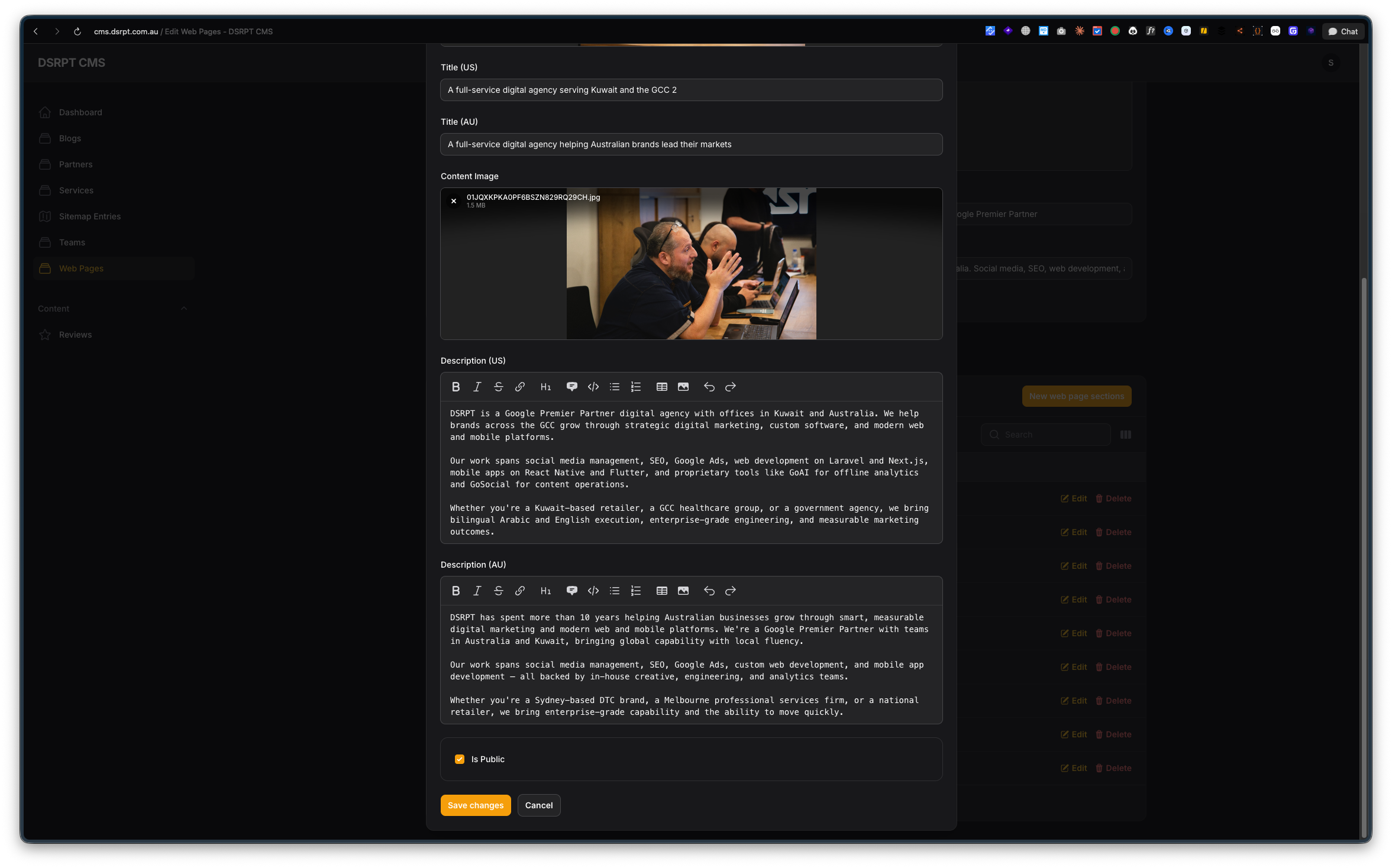
Our own CMS had a form field called "Title (AU)" and a rich text box underneath it. A client would type a new headline, hit Save changes, open the live site in another tab, refresh, and squint. Too long. Back to the CMS. Shorten it. Save. Refresh. Squint again.
That loop is the whole reason Atelier exists.
Here is the same job, before and after.
| Before: our old CMS | After: Atelier |
|---|---|
 |
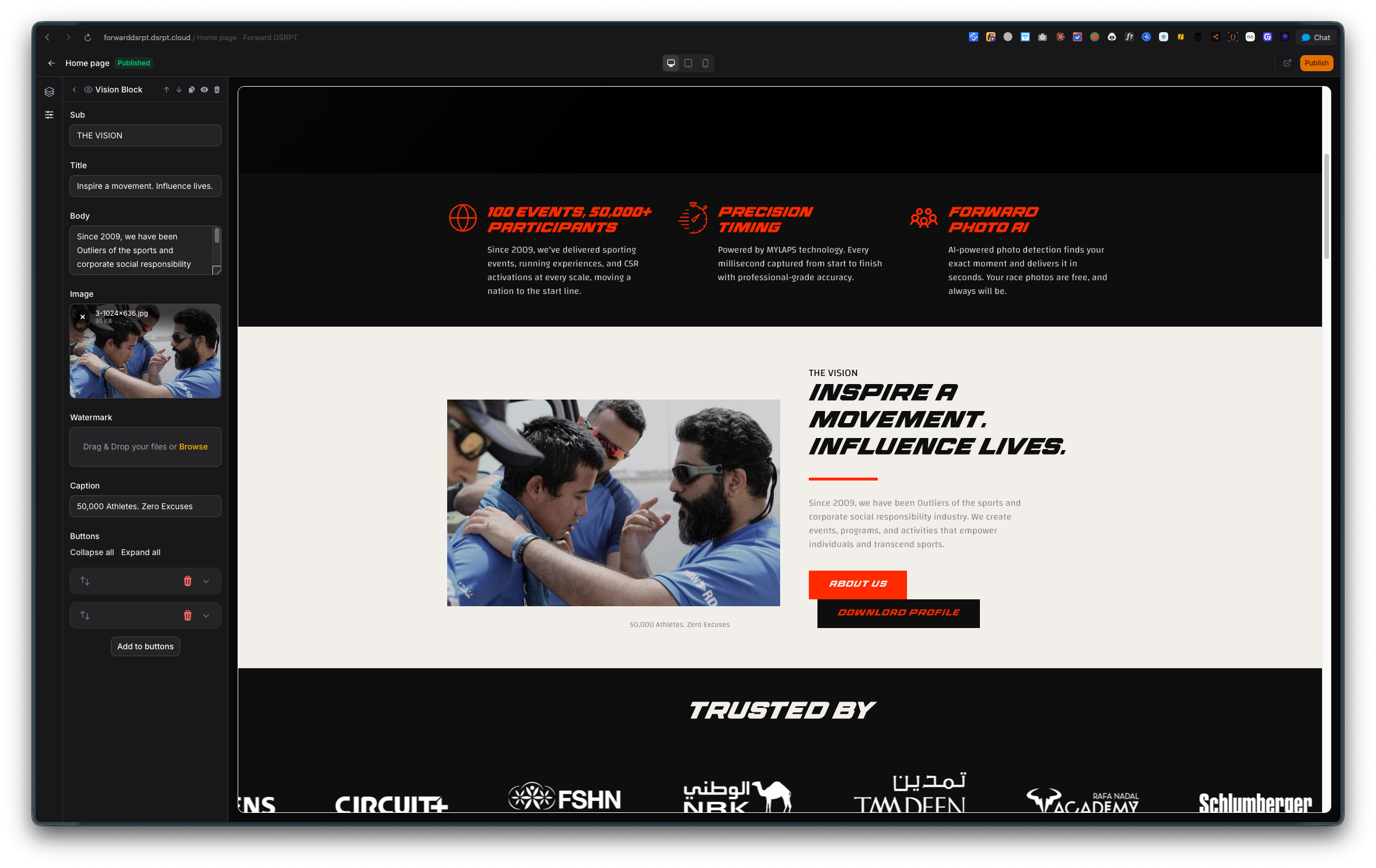 |
| Fill in fields, save, open the site, refresh, guess. | Type in the field, watch the actual page change next to you. |
The screenshot on the right is a real dsrpt build, the Forward DSRPT home page, being edited in Atelier.
The actual problem was never "we need a CMS"
We had a CMS. Several, depending on the project. The problem was the gap between editing content and seeing content.
Every client site we ship falls into one of two traps. Either we build it as clean custom code, which is fast and ranks well, but then every text change goes through a developer and a deploy. Or we build it on WordPress with a page builder, which the client can edit themselves, but it is off our stack, it drags, and we spend the next two years patching plugins. We wrote about that trade-off in more detail in custom vs off-the-shelf CMS in Kuwait.
Neither option gives a client what Shopify gives a shop owner: a page, a panel of settings, and instant feedback.
So that became the requirement. Not "build a CMS". Build the feedback loop.
What Atelier actually does
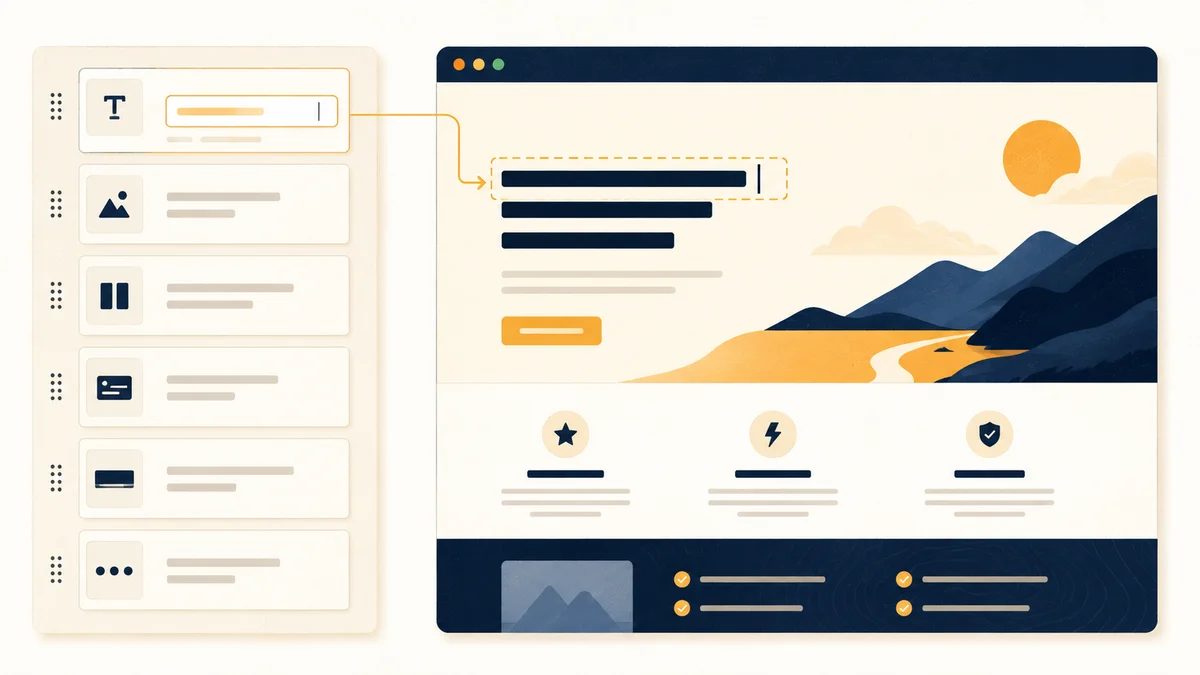
Three panes, full screen. Section list on the left, the real rendered page in the middle, settings for whatever section you clicked on the right. You change the hero headline and the hero headline changes in front of you, roughly a second after you stop typing. No save. No second tab.
The parts that matter day to day:
- A section library instead of a blank canvas. Header, hero, features, logo wall, testimonials, CTA, FAQ, rich text, image, gallery, contact form, footer. The client picks from what their site was designed with. They cannot accidentally build something ugly, because the blocks carry the design.
- Drag to reorder. Move the testimonials above the pricing, see it move.
- Hide instead of delete. A section you are not sure about gets switched off, not destroyed. Turn it back on next month.
- Desktop, tablet and mobile widths in the preview, so nobody publishes a headline that wraps badly on a phone.
- Draft and published are separate. You can edit a live page all afternoon and the public version does not move until someone clicks Publish. There is also a shareable preview link, which is how a client shows their boss a page before it exists publicly.
- Revisions. Every publish takes a snapshot. Restore it if the new copy was worse.
- English and Arabic from day one, with right-to-left handled properly and hreflang tags so Google serves the correct version. Most of our clients are in Kuwait and the GCC, so this was not optional. If you have ever tried to retrofit Arabic into a site built English-first, you know why we did it at the start. Related: how to choose a bilingual Arabic and English web developer in Kuwait.
The performance part, which is the whole trick
Here is where most visual builders lose.
A page builder that assembles the page in the browser is easy to write and terrible to own. The first response is a mostly empty shell, JavaScript fills it in, and you have handed away your load time and made a crawler's job harder.
Atelier stores a page as a structured tree of typed sections in the database, then renders that tree through Blade templates when someone requests the URL. The visitor gets finished HTML. Turn JavaScript off entirely and the content is still there.
That is Gutenberg's data model with Elementor's rendering approach, minus the parts of both that hurt. Because nothing is stored as pre-rendered HTML, changing a block's template updates every page using it instantly, with no re-save and no "this block was modified externally" warnings.
A few smaller decisions follow from the same principle. Each block loads only its own CSS and JS, and only when that block is actually on the page. Design tokens (one colour palette, one type scale, one spacing scale) are defined once and shared by the editor and the front end, so the preview and the live page cannot drift apart. Scroll animations are stored as a preset name on the section, not as code the client writes, and the animation engine is initialised in a way that survives Livewire page navigation.
SEO fields live per page and per language: meta title, meta description, Open Graph, Twitter card, canonical, plus JSON-LD structured data and an auto-generated sitemap covering both locales. It is the SEO setup we would have hand-coded anyway, exposed as fields the client can fill in. Design and search visibility are more connected than most people expect, which we covered in the intersection of UX and SEO.
Why we gave it away
Atelier is MIT licensed, free, and on Packagist as safi/filament-atelier. Version 0.3.0 went up on 18 August 2026.
Two reasons. First, we wanted the tool to be ours to extend rather than a paid plugin we rent and hope keeps up with Filament releases. Owning it means when a client needs a section nobody has built, one of our developers writes one PHP class and one Blade view and it appears in their editor with working controls. No core changes, no waiting on a vendor.
Second, publishing it forces the quality up. Code that other people can read gets written more carefully than code nobody will ever see.
If you are a Laravel developer, install it:
composer require safi/filament-atelier
php artisan vendor:publish --tag=filament-atelier-migrations
php artisan migrate && php artisan storage:link
Then register AtelierPlugin::make()->blocks(DefaultBlocks::all()) in your panel and point Tailwind at the package views. You need PHP 8.3 or newer, Laravel 12 or 13, and Filament 5.
What this changes for a client
The measurable thing is the number of small content changes that reach a developer. In a normal month on a bespoke site, that is a steady trickle of "can you change this line" emails, each one a context switch for an engineer and a wait for the client.
With Atelier, the client changes the line, sees it, and publishes. The developer's inbox gets the work that actually needs a developer.
The unmeasurable thing is confidence. Nobody publishes nervously when they have already seen the result.
Frequently asked questions
What is Atelier?
Atelier is a free, open source visual page builder for Laravel, built as a Filament plugin. A developer defines the page sections in code, and the client arranges them in a full-screen editor with a live preview of the real page. It is published on Packagist as safi/filament-atelier under the MIT licence.
Is there a Shopify-style page builder for Laravel?
Atelier works the way Shopify's theme editor does: a section list on one side, the real page on the other, and changes appearing as you type. The difference is that the public page is rendered by Laravel on the server as plain HTML, so it stays fast and search engines read the full content on the first request.
Does a visual page builder hurt SEO or site speed?
It can, if the builder assembles the page in the browser after load. Atelier avoids that. Pages are stored as structured data and rendered by Blade on the server, so the full content is in the first response even with JavaScript switched off. Each block only loads its own CSS and JS when that block is on the page.
Can clients edit an Arabic version of their site?
Yes. Atelier is bilingual from the first release. Each page exists in English and Arabic, the Arabic side gets right-to-left direction, and both versions carry hreflang tags pointing at each other so Google serves the right one. SEO fields are set per language rather than shared.
What does Atelier need to run?
PHP 8.3 or newer, Laravel 12 or 13, and Filament 5. Under the hood it uses Livewire 4, Alpine 3, Tailwind 4 and GSAP for the scroll animations. Install it with composer require safi/filament-atelier, publish the migrations, and register the plugin in your Filament panel.
Is Atelier free to use?
Yes. It is MIT licensed and published on Packagist and the Filament plugin directory at no cost. You can install it in a commercial client project, fork it, and add your own block types without asking permission.
What to do now
If you run a Laravel site and your content changes still go through a developer, that is the thing to fix, and it does not require rebuilding the site. Atelier installs into an existing Laravel app.
If you are a client looking at a website quote and wondering whether you will be able to touch your own content afterwards, ask that question before you sign. It is a fair question and the answer tells you a lot about how the build is structured. Our website design and development work now ships with this editor by default.
The code is at github.com/Abdulkader-Safi/filament-atelier. Issues and pull requests are welcome.