Choosing the Right CMS in Kuwait: Custom vs Off-the-Shelf (2026)
TL;DR
There is no "best CMS." There's the right CMS for your content, your team, your integrations, and your next three years. Pick with that lens and you'll save yourself a rebuild. Pick because "everyone uses WordPress" and you'll learn the hard way.
I've picked, built, and ripped out more CMS platforms than I'd like to admit. A client once came to us with a WordPress install that had 63 plugins, three "must-have" page builders fighting each other, and a homepage that took 9 seconds to load on a good connection. The fix wasn't another plugin. The fix was admitting we'd picked the wrong tool two years earlier.
So here's the version of this conversation I have with every Kuwait business owner who sits across from me asking "which CMS?" — minus the sales pitch.
Why Your CMS Choice Matters More Than You Think
Your CMS isn't just "where you edit content." It decides:
- How fast your site loads (and whether Google ranks it)
- How much every future change costs
- Whether your marketing team can work without bothering a developer
- How secure you are when the next plugin vulnerability drops
- Whether you can add a mobile app without rebuilding the backend
Pick wrong and every one of those turns into a tax you pay for years. We've written about this in more depth in our complete guide to building a site Google actually loves — because the CMS decision and the SEO outcome are joined at the hip.
The Three CMS Flavors — Honestly Compared
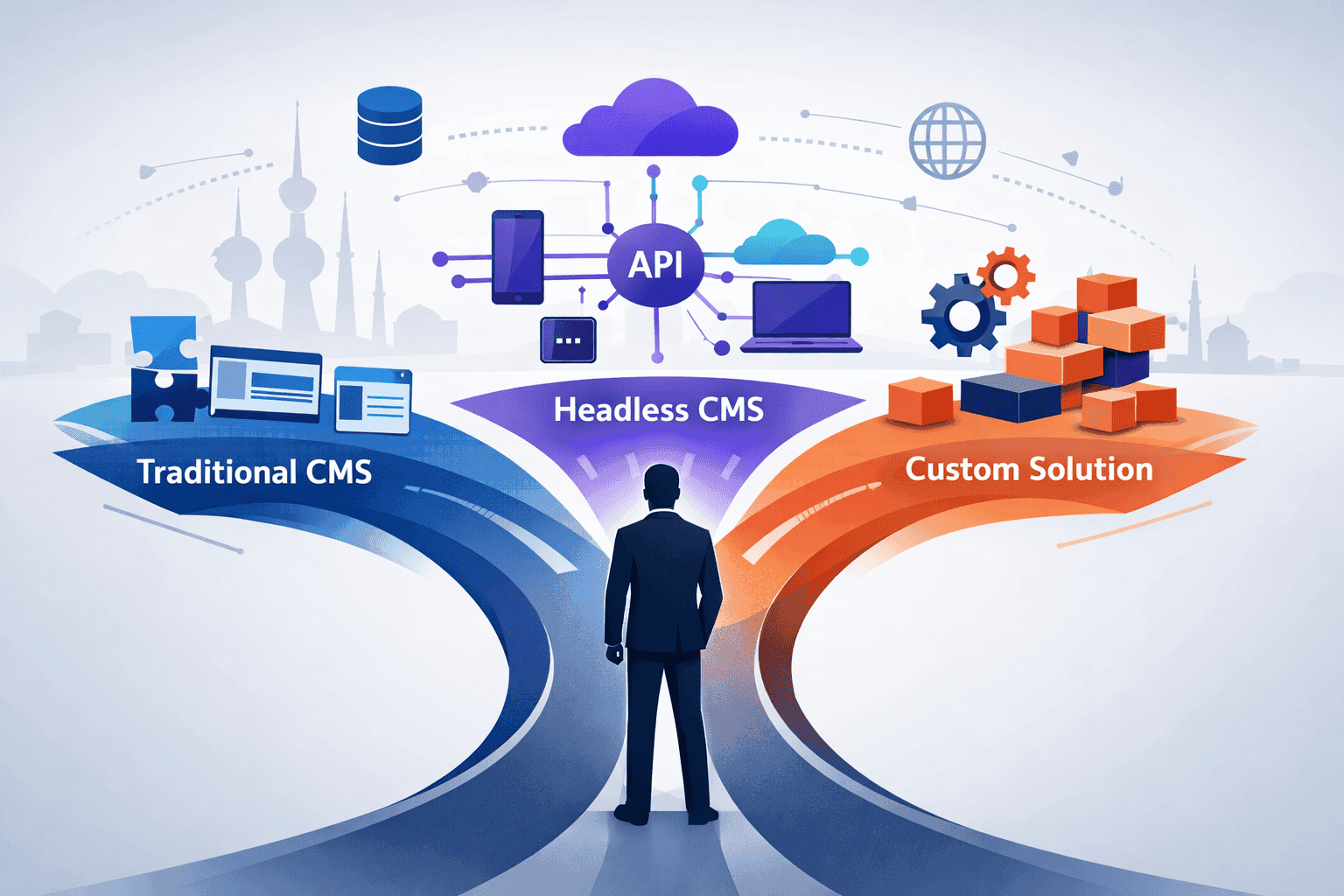
There are three camps. Most articles pretend there are five. There aren't.
1. Traditional (Monolithic) — WordPress, Drupal, Joomla
One system does everything — storage, logic, frontend. Editors work in the same place the site runs from.
Good at: Fast launches. Huge plugin ecosystems. Content editors already know it. Cheap hosting everywhere.
Bad at: Performance under load. Plugin security. Multi-channel (web + app + kiosk). Anything that doesn't fit the "posts and pages" mental model.
If your site is brochure-ware, a blog, or a small shop → this is fine. If it's a product → this will bite you.
2. Headless — Strapi, Payload, Sanity, Contentful
The CMS only manages content and spits it out via API. A separate frontend (usually Next.js or React Native) consumes it.
Good at: Performance. Feeding a website and a mobile app from the same source. Modern developer experience. Clean separation between content and presentation.
Bad at: Launching fast. Content editors hate it until they're trained. Costs more upfront. Two systems to maintain.
This is my default when a client mentions "and we'll also need a mobile app" in the same breath as "we need a website."
3. Custom Admin Panels — Filament PHP, Laravel Nova, Django Admin
Not a CMS in the traditional sense — a framework that generates admin UI straight from your data models inside a real application.
Good at: Complex business logic. Deep integrations. Total control. No plugin surface to attack.
Bad at: Being maintained by a non-technical team. Quick launches. Anyone who doesn't know the framework.
This is the answer more often than people expect — especially for businesses that aren't content businesses but have a website attached to a real operation.
The Five-Question Filter I Use on Every Project
Before I say a single word about tools, I ask these. You should too.
1. How weird is your content?
- Pages, posts, media, simple products → traditional or basic headless, done.
- Custom content types, deep relationships, versioning → headless with a flexible schema.
- Specialized, industry-specific, nothing-off-the-shelf-fits → custom admin panel.
2. Who's eating your frontend?
One website? A headless CMS is overkill unless you're planning for more. A website plus a mobile app that shares the same product catalog and promotions? Headless wins, easily. A website plus a kiosk plus a partner API? Headless isn't optional.
3. What has to talk to what?
- Standalone site → any CMS
- ERP, POS, accounting integration → headless or custom with a proper API layer
- KNET, Tap, PACI, regional accounting systems → custom territory almost always
Monolithic systems can integrate, sure. But every "light integration" I've seen with WordPress started as a simple plugin and ended as a 14-file duct-taped mess that nobody wants to touch. Start with the right architecture instead of growing into the wrong one.
4. Who's editing content — and do they enjoy computers?
- Non-technical marketing team, in-house → lean toward WordPress or Strapi. Editor UX matters more than developer UX.
- Mixed team with some technical muscle → Payload or Strapi both fly.
- Dev team owns the whole thing → Filament, Payload, or whatever your stack prefers.
5. What's your budget — and what's your three-year plan?
| Situation | Probably the right call |
|---|---|
| Tight budget, need to be live in 3 weeks | WordPress with a clean theme, no page builders |
| Reasonable budget, 2-3 month timeline | Strapi or Payload + custom Next.js frontend |
| Real investment, core business tool, multi-year horizon | Laravel + Filament, or Next.js + Payload |
| "We'll see how it grows" | Pick the option that's easiest to escape from |
The Tools I Actually Reach For
Strapi — my default headless pick
Node.js, visual content-type builder, huge plugin ecosystem, open source. You can host it on a KD 5/month VPS or pay for Strapi Cloud.
When I reach for it: A Kuwait retail brand with a website and a React Native app sharing product data. A publishing site that needs custom content types without a developer redeploying every time marketing adds a field. Anything where the editors don't live in a terminal.
Watch out for: Node.js hosting adds ops work. Heavy for the smallest sites. Occasional breaking changes between major versions — I've lost a weekend to a v4→v5 upgrade that nobody warned us about clearly enough.
For deeper comparison we've written a headless CMS showdown between Strapi, Payload, and Directus.
Payload CMS — when your app is the CMS
TypeScript-native, code-first, lives inside your Next.js repo. No separate deployment. Same auth as your app.
When I reach for it: A fintech customer portal where the "admin panel" and the customer-facing app need to share users, roles, and data. Any SaaS where I want the CMS versioned in Git like everything else.
Watch out for: Newer ecosystem — fewer Stack Overflow answers, fewer plugins. Non-developers aren't going to configure it themselves.
Filament PHP — the Kuwait workhorse
Laravel admin panel framework. Looks gorgeous out of the box. Handles complex relationships, forms, tables, and workflows without you hand-building screens.
When I reach for it: Any time a client says "it's a bit like a CMS but it also manages shipments / invoices / bookings / clinical records / fleet / students…" Congratulations, you don't want a CMS — you want an application with a great admin. Filament is it.
Real example: A Kuwait logistics operator needed a system for shipments, customers, invoices, driver assignments, and KNET reconciliation. WordPress would have been malpractice. A pure headless CMS would have left them building half the app anyway. Laravel + Filament shipped in 9 weeks, integrates cleanly, and their ops team loves the interface.
Watch out for: You need a Laravel team. You will maintain it. No plugin ecosystem to fall back on — though honestly, that's a feature.
WordPress — when it's right, it's right
I won't bury the lede — WordPress is still correct for a lot of projects. Marketing site for a professional services firm. Fast-launching local business page. A blog. A basic WooCommerce store for a small catalog.
When I reach for it: Budget under KD 3,000, content team already knows WordPress, no custom business logic, no mobile app on the roadmap, and the client understands they're buying convenience rather than craftsmanship.
Watch out for: Plugin creep. Page builder lock-in. Cheap theme shops. "A developer on Fiverr can maintain it" is how you end up with the 63-plugin install I mentioned at the top.
When to Go Custom, When to Stay Off-the-Shelf
Off-the-shelf is the right call when
- Your content is standard (pages, posts, products)
- You need to be live yesterday
- Your budget is tight and your requirements are soft
- A plugin or extension can plausibly handle 90%+ of your needs
- A non-technical team will maintain the content daily
- You don't have a backend engineering team
Custom is the right call when
- Your business processes don't fit the "post" model at all
- You need deep integration with internal systems — ERP, POS, KNET, Tap, PACI
- Security and compliance demand full code ownership
- You're planning multi-year use and want to own the whole thing
- You have (or will hire) a development team to maintain it
- The CMS is actually part of a bigger application, not a website with content
The hybrid nobody talks about
Sometimes the answer is both. Real example from a recent project:
- Strapi handled marketing content — blog, case studies, team bios. Marketing edits, no developer involved.
- Filament handled operational data — clients, projects, invoices, deliverables. Ops edits, with workflow rules baked in.
- Next.js frontend consumed both via APIs and rendered the public site.
Marketing got independence. Ops got a proper system. The dev team maintained one frontend. Everyone won.
Kuwait-Specific Gotchas
Arabic and RTL — test it, don't trust the docs
Every CMS claims RTL support. Most actually have it. But the quality ranges from "ships perfectly" to "looks right until you hit a nested list or mixed English-Arabic paragraph and it falls apart."
- WordPress → solid if your theme is well-built, ugly if it isn't
- Strapi / Payload → language-agnostic in admin, RTL is on your frontend to handle
- Filament → genuinely excellent RTL handling out of the box, which is a bigger deal than it sounds
Always — always — preview real Arabic content before signing off. "It'll work" is not an answer.
Data residency and local hosting
Some sectors in Kuwait want data inside the country. That rules out most SaaS CMS options like Contentful or Sanity, and pushes you toward self-hosted Strapi, Payload, or Filament on a local provider. If this is a hard requirement, say it in week one — not week ten.
For the hosting side specifically, we've written about choosing between VPS, cloud, and managed hosting.
Local integrations are not an afterthought
KNET. Tap. PACI. MOC systems. Regional accounting packages. Every serious Kuwait project hits at least one of these. Monolithic systems can be beaten into integrating with these, but it's ugly. Headless or custom is the grown-up answer, and it shows. This is one reason we keep arguing local SEO and local-first architecture matter so much.
How DSRPT Picks — and Why We Don't Push a Single Platform
Here's the part where a lot of agencies lose their minds and tell you "we're a Shopify partner" or "we only do WordPress." We don't.
Our web development service starts with a discovery call — not a pitch deck. The questions are boring and they matter:
- What content do you actually need to manage, day to day?
- Who's going to edit it, and how technical are they?
- What other systems does this website or app have to talk to?
- Where do you want to be in three years?
Depending on the answers, we recommend WordPress, Strapi, Payload, Filament, or a hybrid. Sometimes we recommend not building yet at all — if what the client really needs is a clearer strategy before a single line of code. We've touched on why this matters in our piece on the digital leap businesses need to take before going online.
When we build, we build with:
- Performance budgets (not "we'll optimize later")
- SEO baked in from day one, not bolted on
- Proper Arabic / RTL handling, tested with real content
- Integration architecture that doesn't collapse when the ERP changes
- A handover your team can actually maintain
Next Steps
If you're about to pick a CMS — or already regretting the one you have — do this:
- Answer the five questions above. Write your answers down. No "maybe."
- Stack-rank your three biggest constraints: budget, timeline, content complexity, integrations, team skill. Whichever two dominate — pick the CMS that matches those.
- Talk to two people who've shipped on your shortlisted platforms. Not salespeople. Builders. Ask them what broke.
- Don't pick the familiar one out of comfort. Familiar is a tiebreaker, not a reason.
- Budget for maintenance, not just build. If you can't afford to run it properly, you can't afford to build it.
If you want us to help you pick — and then build it — we've done this across retail, logistics, fintech, clinics, and government-adjacent projects. Book a call with DSRPT and we'll tell you exactly which CMS fits, what it'll cost, and whether you should build it with us or on your own. No pitch deck, no platform bias. Just the plan.
Frequently Asked Questions
Is WordPress still worth using in 2026?
Yes — for the right project. WordPress still powers roughly 40% of the web because it works for marketing sites, blogs, and small business pages where content editors need to move fast. Where it breaks down is complex applications, multi-channel delivery, and anything where plugin sprawl becomes a security or performance liability. If your site is mostly pages, posts, and media, WordPress is probably fine. If it's a product or a platform, look elsewhere.
What's the real difference between Strapi and Payload?
Strapi is visual-first — content editors and non-developers can build content types in a UI and self-host easily. Payload is code-first and TypeScript-native, so developers define everything in the repo and ship it as part of the Next.js app. Strapi gets you live faster. Payload gives you tighter integration, better type safety, and no second deployment to babysit. Most of my fintech and SaaS clients pick Payload. Most retail and content-heavy clients pick Strapi.
When should I build a custom CMS instead of using WordPress or Strapi?
Almost never build a CMS from scratch. What you actually want is a framework like Filament PHP or Laravel Nova that generates an admin panel on top of your data models. Go that route when your business logic is too custom for plugins, you need tight integration with ERPs, KNET, or government systems, and you have a development team to maintain it. If you're hand-rolling CRUD screens in 2026, something has gone wrong.
How much does CMS development cost in Kuwait?
Rough ranges we see for full builds — KD 500-3,000 for a WordPress marketing site, KD 3,000-15,000 for a headless CMS with a custom Next.js frontend, and KD 5,000-30,000+ for a full Filament-based business application with integrations. These are build costs only. Budget another 15-25% annually for hosting, maintenance, and iteration. The cheapest option upfront is rarely the cheapest over three years.
Can I switch CMS later if I pick wrong?
You can — but it hurts. Content migration is usually the easy part. The painful part is rebuilding custom functionality, integrations, user accounts, SEO redirects, and any workflow your team has built habits around. Plan on the migration costing 60-80% of a fresh build. Choose carefully the first time. It's cheaper to spend two extra weeks deciding than two extra months re-platforming.