

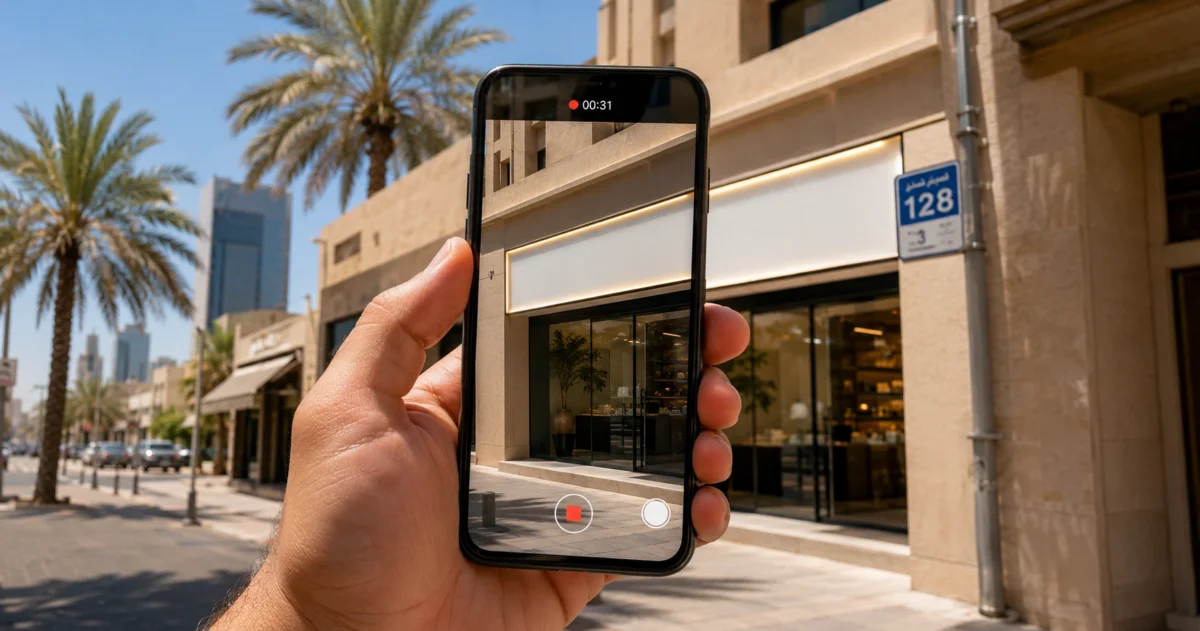
You do not get to pick how you verify. Google decides, and its help page says so plainly: verification methods are automatically determined by Google and can't be changed. Google also says that if your business is eligible for video verification, use that one. So the realistic path for a Kuwait business is a video, recorded live on your phone, showing your location, your sign, and proof that you are the one running the place.
That one sentence explains a lot of failed attempts. People go hunting for a postcard option that never appears, or they film the wrong things, or their address never resolves in the first place because Kuwait addresses are blocks and street numbers, not the kind of street address Google's system expects.
Here is the whole process, the parts that go wrong in Kuwait specifically, and what to do when Google says no.
Fix these three things before you press record
A lot of verifications are lost before the camera turns on.
Your address has to resolve. Google wants a complete address it can find. Kuwait addresses do not always cooperate: an area, a block, a street number and a building number is precise on the ground and meaningless to an address parser. Google's own guidance covers this. Where the official address does not accurately pinpoint the location, you may add nearby cross-streets or landmarks, and if the address has no street number, or the system cannot find it, you can drop a pin directly on the map instead.
Two things to get right here. Google warns against writing the address itself as a landmark, so nothing like "corner of Salem Al Mubarak and Block 10" in the address field. And use the pin: Edit profile, then Location, then the pencil next to Business location, then Adjust, then Done and Save. Get the pin on your door before you start verification, because moving it afterwards can trigger a re-verification.
Your sign has to be permanent. Google's rule is that a storefront business has permanent on-site signage, and that any business showing an address should maintain permanent fixed signage of its business name at that address. A printed A4 sheet taped to the glass is not signage. If you genuinely have no sign, do not claim to be a storefront. Switch to a service-area business, which has its own separate set of video requirements.
Your business name has to match the sign. Google's naming rules catch two things Kuwait businesses do by habit. The first is repeating the same name in Arabic and English, which Google lists as not permitted even when the physical storefront sign shows both scripts. Pick one. The second is legal terms. Google names LLC, LTD and INC as irrelevant legal terms that need real-world proof, like signage, business cards or invoices, before they can stay in the name. Kuwait's W.L.L. is the local equivalent. If the sign over your door says Al Salam Cafe, the profile says Al Salam Cafe.
The steps
- Sign in to the Google Account that will own the profile. Use a business account, not a personal one belonging to a staff member who might leave.
- Search for your business. If it already exists on Maps, claim it. If it does not, add it.
- Fill in the address, category and hours, and set the map pin precisely.
- On a phone, open your Business Profile and tap Get verified. You may be asked for a phone number first.
- Take whichever method Google shows you. Video recording, live video call, phone, SMS, email, or postcard, in whatever combination it offers. Sometimes it asks for more than one.
- Wait. Google reviews verification for up to five business days.
Two faster routes exist, though neither is something you can simply choose. Google verifies some profiles instantly when you already own the business website and have it verified as a property in Google Search Console. And chains with ten or more locations can apply for bulk verification, with real limits: service-area businesses are excluded, duplicate and suspended profiles do not count toward the ten, and Google may still ask for a video to confirm the business exists.
What the video has to show
The format rules first, because breaking one of these wastes a week:
- One continuous, unedited recording with no breaks, and it has to be unique. You cannot resubmit footage you already sent.
- At least 30 seconds.
- Recorded and uploaded from a mobile device, inside the Business Profile verification flow. You cannot film it separately and upload it later. Google captures it live.
- No bank, tax or ID numbers on camera, no private information about you or anyone else, and no other people's faces.
Then the content. For a storefront, Google wants three things.
Where you are: street signs, building numbers, nearby businesses or landmarks that match what Maps shows. In Kuwait, film the block and street plate on the corner, then walk to your door in the same shot. That continuous walk from the street sign to your sign is the most useful 15 seconds in the whole video.
That you exist: your sign, with your business name clearly readable on something permanent. Google requires the name in the video to match the name on the profile.
That you run it: something only an employee gets to touch. Open the cash register. Unlock the storeroom. Log into the POS. In a salon, unlock the treatment room. In a workshop, open the tool cabinet.
A service-area business films a different set: landmarks and street signs near where the business is based, then the tools, branded vehicle or workspace you use, then either yourself performing the service or a document carrying the business name. Google names business permits, invoices and utility bills as acceptable documents. If you film your commercial licence, cover the numbers.
Two practical notes, ours rather than Google's. Film in daylight, because a phone camera in the dark produces footage nobody can read. And plan the route before you start, since you cannot pause and you cannot re-cut.
Why Kuwait verifications get rejected
Google publishes the example reasons it sends back: the business name is not visible on the storefront, no nearby area was shown, and there is no proof of authorisation to operate the business. Four situations produce those messages in Kuwait more than anywhere else.
A mall or tower unit with no street presence. You are on the third floor of a building on Salem Al Mubarak Street, and the video shows a lift lobby. Fix it by filming the building's own exterior sign and street plate first, then the lift, then the corridor, then your unit sign, without stopping. You are building a chain a reviewer can follow.
A PO box address. This one is not fixable, it is disqualifying. Google's eligibility rules exclude any business whose address is listed as a P.O. box or a mailbox in a remote location. The PO box your company uses for actual mail cannot be the address on the profile. Use the physical location, and hide it if you are a service-area business.
A home-based business. Perfectly allowed, but only as a service-area business, and only with the address hidden. Google's own example is a plumber running the business from a residential address who clears the address from the profile. Film the neighbourhood, not the living room.
A desk in a co-working space. Google allows this only if the office keeps clear signage, receives customers during business hours, and is staffed during those hours by your own people. Check your setup against all three before you try, because a shared desk will not meet them.
What to do after a rejection
Your profile shows a Review issues notification. Open it, because Google lists exactly which requirements the video missed.
Then record again, and this is the part people get wrong: the new video has to contain everything from the first video plus the missing pieces, as fresh footage. It is not a top-up clip, and you cannot resend the original.
If two or three attempts fail on the same point, stop resubmitting and look at whether the underlying facts fit. No permanent sign means storefront was the wrong choice. An address Google cannot place means the pin needs fixing before the video does. Only after that is it worth contacting Google support, and Google says the same thing: try the available methods first, because that makes support easier to give.
About the postcard, and the deadline that is not real
Plenty of articles published this year say Google killed postcard verification on 3 July 2026. There is no Google announcement behind that date. The main help page still describes postcard verification in full, with no cut-off date, and the only page on Google's own domain that discusses postcards disappearing is a user-written community post that names no date either.
What is fair to say is that Google is quietly de-emphasising it. Google's newer Learning Center page on verifying your business lists the methods as video, phone, text and email. Mail is not on that list.
Either way, postcard is a bad bet in Kuwait when it is offered. Google's guidance is that most mailed codes arrive within 14 days and that codes expire after 30 days. Kuwait Post reported launching home delivery of regular mail in April 2023, charged per item and run with a logistics partner, so a small international letter reaching your building is not something to plan around, and the PO box you would normally use is not allowed to be your business address. Add the two rules that come with waiting, do not edit your name, address or category, and do not request a second code, because requesting one invalidates the first and restarts the wait, and you have a month of frozen profile riding on a piece of paper.
If Google shows you both, take the video.
After you are verified
Verification is the front door, not the destination. A verified profile with no photos, no posts and no recent reviews gives a customer nothing to judge, and the competitor who works the same listing weekly gets the call instead. Photos, posts, replies to reviews, an accurate services list: all of it is free and most Kuwait businesses do none of it.
One thing worth knowing about service areas. Google says a service area should not stretch more than about two hours of driving from your base, though it allows that larger areas suit some businesses, and it caps you at 20 service areas. Two hours covers Kuwait end to end, so one profile can legitimately serve every governorate. Do not create a second profile for Salmiya and a third for Fahaheel unless each is a real location with its own staff and its own service area.
What to do now
Open your profile on your phone today and check whether it says Get verified. If it does, walk your route once without recording, check your sign is readable from where you will stand, and then record.
If your address will not resolve, or you have already burned two attempts, Google Business Profile management is one of the things we do for Kuwait businesses, and once the listing is live we can put a Google-certified 360 tour inside it.
Sources:
- Verify your business on Google
- Verify your business with a video recording
- Business eligibility and ownership guidelines
- Guidelines for representing your business on Google
- Manage your business address
- Manage your service areas
- Verify Business Profiles in bulk
- Kuwait Post home delivery launch, April 2023.